Install the extension — watch your first competitor tonight
During mega sales, competitors reprice hourly. You get the alert within 30 minutes — no waiting for the next day's report.
4 steps to start competitor price watching
Enable the Extension
Pin the extension to your toolbar, click the icon to open the panel, and follow the setup wizard for initial configuration.
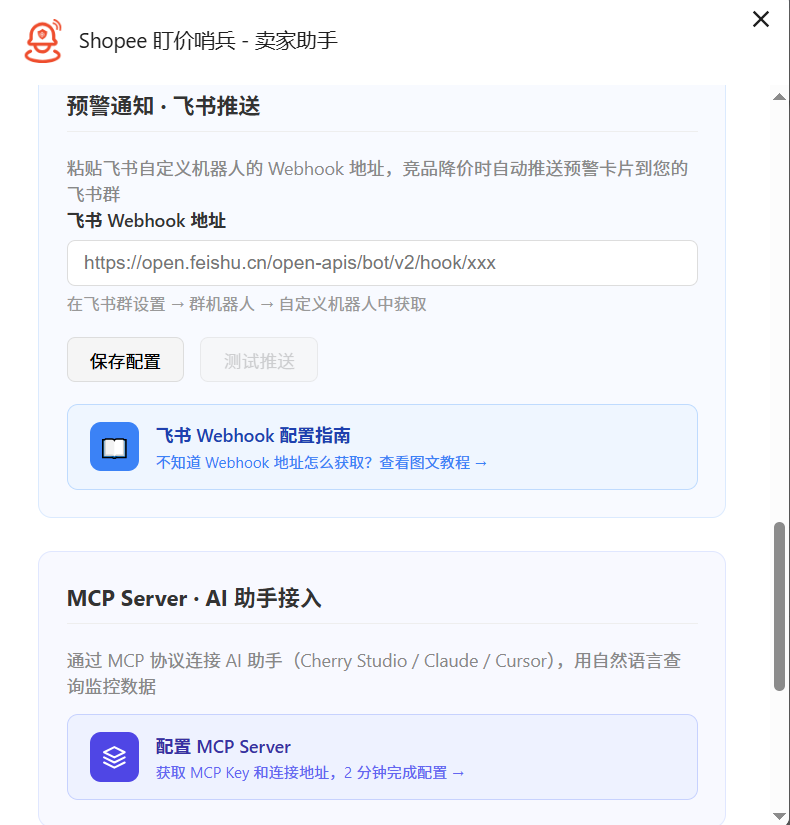
Set Up Alerts
Connect Feishu (Lark) / Telegram or other channels, and set your price-change alert threshold.
Start Tracking Competitors
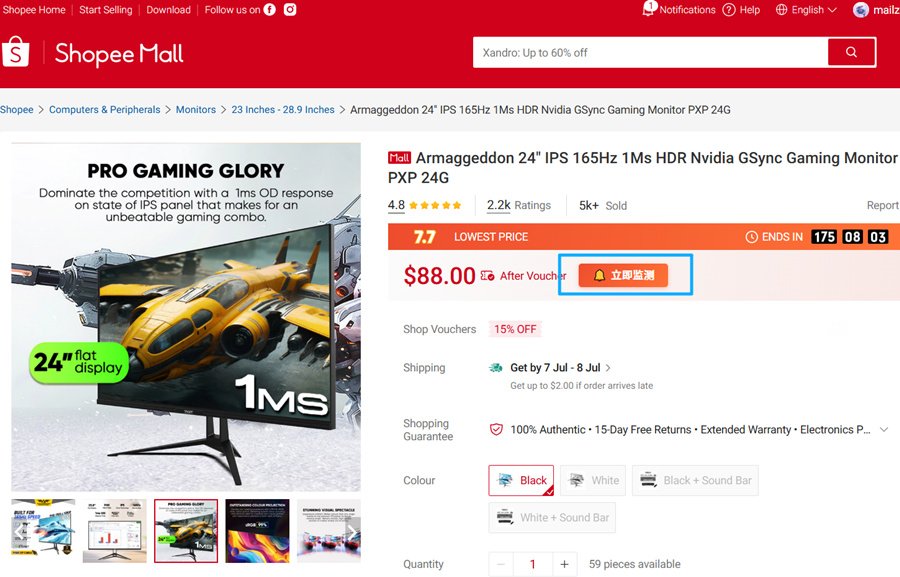
Open any Shopee product page and click "Start Monitoring" to add it to your watchlist with one click.
Receive Price Alerts
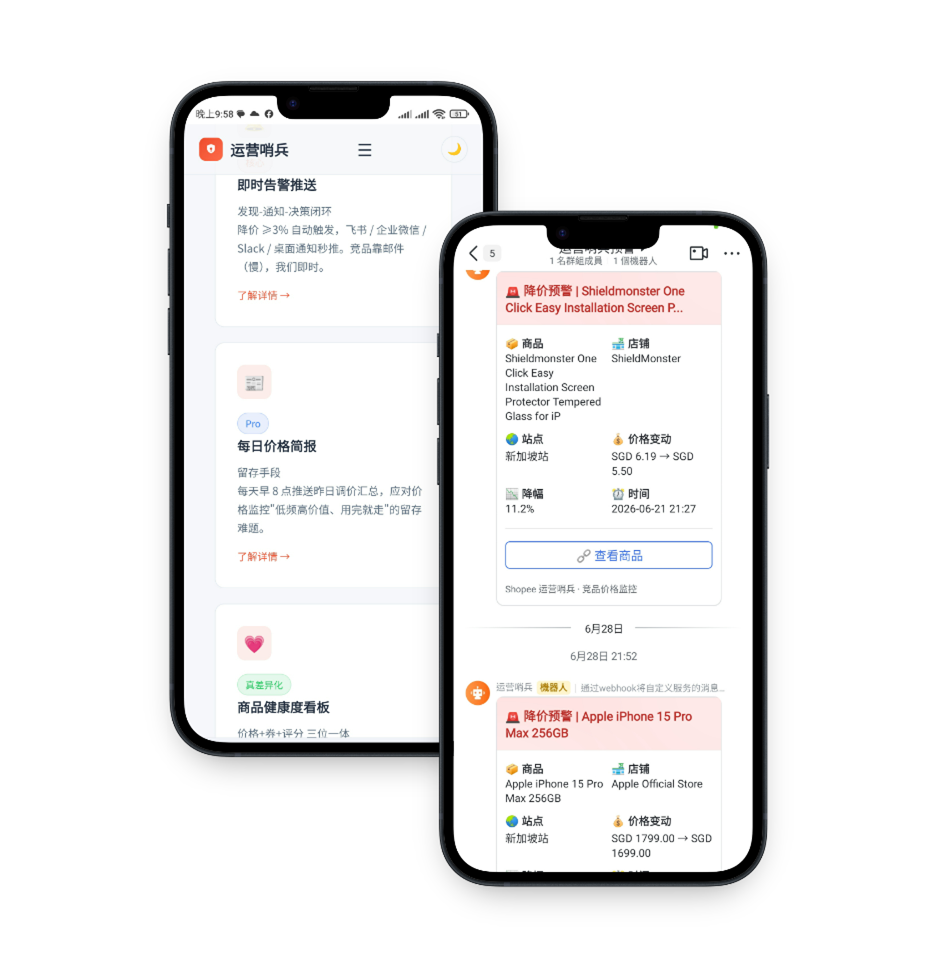
When a competitor's price change hits your threshold, get an instant alert to take action.
One-Click Browser Extension
Add monitoring with one click on any Shopee product page — auto-detects site and product info, no manual link pasting required
Browser installation guides
PriceMinder is on all major browser stores. Pick your browser for step-by-step guides with screenshots and video. Install online from the store, or download the package for offline installation — then start tracking your first competitor.



What to do after installing
Three steps from installation to receiving your first price-drop notification.
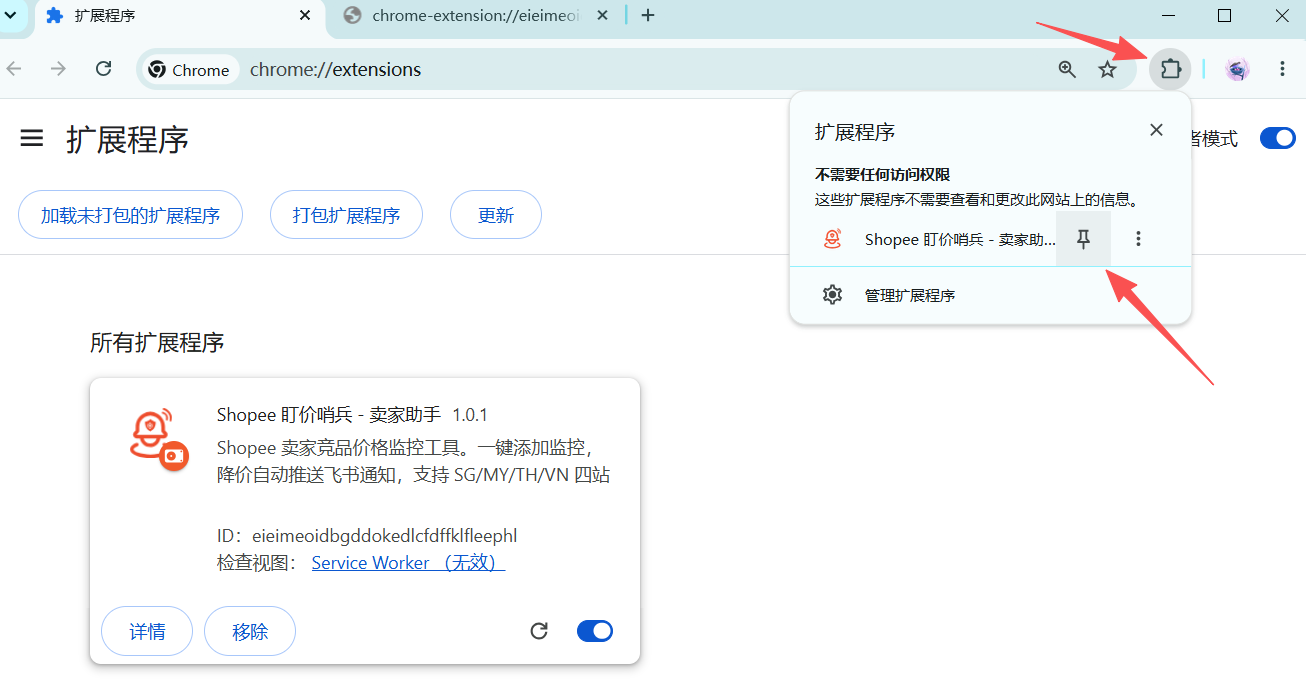
Enable the Extension
Click the extension button (puzzle icon) in the top-right corner of your browser, find "PriceMinder," and click the pin icon to add it to your toolbar. Click the PriceMinder icon on the toolbar to open the extension panel and start using it. On first use, follow the setup wizard to choose your alert channel and threshold.
Set Up Alerts
Click the extension icon in the top-right corner of the page. In the popup panel, click "Add Monitoring" to add the product to your watchlist.
Start Monitoring Products
Open any Shopee product page in your browser (SG/MY/TH/VN — all 4 sites supported). Navigate to the product detail page you want to track. On the right side of the price, a "Start Monitoring" button will appear — click it to instantly add the competitor to your watchlist.
Receive Your First Competitor Alert
Once your IM alert channel is configured, whenever a monitored competitor's price changes and triggers your set threshold, you'll receive a price alert on Feishu (Lark)/Telegram or your configured messaging app.
Works everywhere — any browser, any OS
- Browser: Google Chrome 120+ (minimum requirement: 88+)
- Other Chromium-based browsers also work: Edge / Brave / Arc
- OS: Windows / macOS / Linux — all supported
- No backend or account needed to try it. Log in for cloud-synced watchlists
About offline installation:
- Chrome 127+ has disabled drag-and-drop CRX file installation.
- This extension offers ZIP offline install — download the zip, enable "Developer mode" at chrome://extensions, and drag the file in to install.
- This extension also offers an unpacked-folder offline install — download and extract, then use "Load unpacked extension" to install. Same result.
Let AI watch your competitors
Let AI handle competitor watching — just ask. 8 MCP Tools let Claude / Cursor / Cherry and other AI Agents check prices, manage watches, and deliver alerts for you. Completely free.